


Automation Builder can be used to configure the parameters of CI52x-MODTCP devices.
A direct Ethernet connection is required between the PC running Automation Builder and the CI52x-MODTCP module.
Configuration of S500 I/O modules can be performed without CI52x-MODTCPs modules connected.
Start a project from template
-
Select “New Project” in the menu item “File”.
The window “New Project” appears.
-
Select the “CI52x-MODTCP Configuration Project” and click “OK”.
The window “Select PLC” opens.
-
Select a “CI52x-MODTCP” device and click “Add device”.
A project is created. Additional modules can be added.
Add CI52x-MODTCP to a project
-
Right-click the root node “Project” in the device tree and click “Add object”.
The window “Add object below” opens.
-
Select “Modbus devices” and click “Add object”.
The node“Modbus_devices” appears in the device tree.
-
Right-click the node “Modbus_devices” and click “Add object”.
The window “Select PLC” opens.
-
Select the “CI52x-MODTCP” device and click “Add device”.
The “CI52x-MODTCP” device appears in the device tree.
Add S500 I/O modules
-
“Add object” to the “CI52x-MODTCP” device.
The window “Add object below: CI52x-MODTCP” opens.
-
Select the I/O module and click “Add object”.
The I/O module is added.
Configure parameters
-
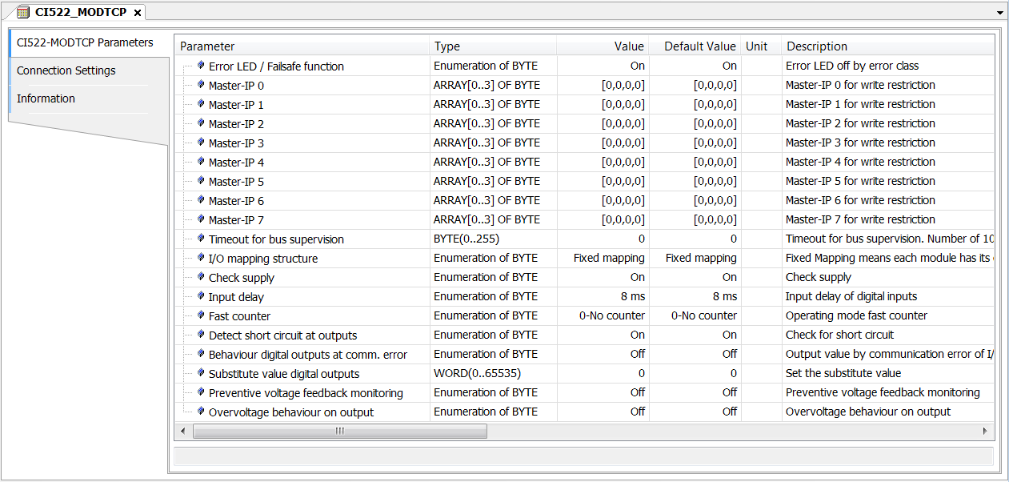
Double-click the device to open editors and select the “CI52x-MODTCP Parameters” tab.
This editor shows the parameters that can be set for each device.
Connect to device
To read or write parameters, the CI52x-MODTCP module must be connected to the PC via an Ethernet connection.
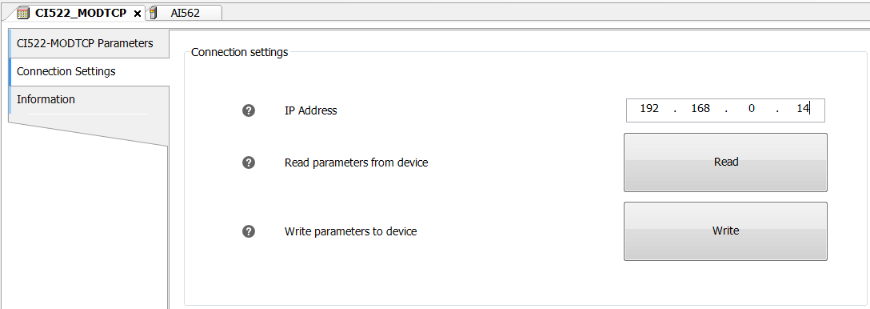
In the CI52x-MODTCP device editor, the “Connection Settings” tab allows the IP address of the device to be entered.
Read
Reads the parameters from the CI52x-MODTCP and from the attached S500 I/O modules.
Write
Sends the parameters from the editors to the CI52x-MODTCP and to the attached S500 I/O modules.
Device checking
The CI52x-MODTCP module detects which I/O modules are attached.
While reading and writing parameters, the project must match the physical hardware. Otherwise, an error is displayed.
Communication errors also result in error messages.
When the parameters have been read or written correctly, a message is displayed in the “All messages” window.

Attached S500 modules
It is possible to read and write parameters when the S500 I/O modules are not attached to the CI52x-MODTCP module.
To perform a read operation, the project structure must still match the CI52x-MODTCP configuration.
A warning is displayed if an I/O module is not detected.

When writing parameters, the CI52x-MODTCP configuration is overwritten. Therefore, the current configuration of missing (unplugged) modules does not matter.
If the I/O modules are attached, the project must match the hardware, otherwise an error is displayed.
Firmware update
As of Automation Builder 2.2.1, the IP Configuration Tool can be used to perform firmware updates for CI52x-MODTCP devices.